
Views: 0 Author: Site Editor Publish Time: 2026-04-03 Origin: Site


A printer that feeds out a clean white strip instead of a readable receipt can disrupt checkout in an instant. When Receipt Paper comes out blank, the cause is often much simpler than it first appears: the wrong paper type, the roll loaded the wrong way, a dirty printhead, or settings that do not match the roll in use. At ShenZhen United Foison Technology CO, LTD., we supply thermal paper products to global customers, and this guide is written to help businesses solve the problem quickly while also understanding why paper quality plays such an important role in daily printer performance.
Blank output does not always mean the printer is broken. In many cases, the issue starts with the roll itself. Before changing software settings or calling for service, it is worth checking the most basic points first. This saves time and helps staff avoid unnecessary troubleshooting.
A very common reason for blank output is that the installed roll is not thermal paper at all. Thermal printers do not use ink. They rely on heat reacting with a coated paper surface. If someone loads plain paper by mistake, the printer may still feed normally, but nothing will appear on the receipt.
The easiest way to check is with a scratch test. Lightly scratch the paper surface with a fingernail or hard object. If the surface darkens, it is thermal paper. If it does not, the roll is the wrong type. This simple step solves more blank receipt issues than many users expect, especially in busy workplaces where similar-looking paper rolls are stored together.
Even if the roll is thermal paper, it may still print blank if it is loaded backwards. Thermal paper only prints on the coated side. If that side is facing away from the printhead, the paper will feed but the receipt will remain blank.
This happens often after a quick roll replacement. Staff install a new roll, the printer runs, and everyone assumes the machine is working correctly until a customer receives an empty receipt. Reversing the roll is one of the fastest checks available and often solves the problem immediately.
A good habit is to identify the printable side before loading the roll. Once the coated side is confirmed, install it so that side contacts the printhead correctly.
After checking the paper type and roll direction, the next step is the printer itself. Thermal printing depends on close and even contact between the printhead and the paper surface. If dust, residue, or debris interferes with that contact, print quality can drop sharply and in some cases disappear completely.
A dirty printhead is another common cause of a thermal printer blank receipt. Over time, paper dust, residue, and debris collect inside the printer. When buildup forms on the printhead, heat transfer becomes inconsistent. The result may be faint printing, missing areas, or fully blank output.
Routine cleaning helps prevent this. The printhead should be cleaned carefully according to the printer’s maintenance guidelines. This is also where roll quality matters. Smooth, low-dust thermal paper helps reduce contamination inside the machine over time, which supports more stable printing and less frequent maintenance.
Not all thermal rolls perform equally well. Some low-quality rolls have uneven coating, rough edges, poor winding, or excessive paper dust. These problems may not always cause immediate failure, but they can lead to weak image development, unstable output, and more printer contamination.
Businesses sometimes focus only on roll price, but poor paper often costs more in the long run through reprints, maintenance time, and customer frustration. Stable coating, clean slitting, and smooth winding all help support clearer print and more reliable operation.
Blank Receipt Symptom | Likely Cause | How to Check | Fix |
Paper feeds but nothing prints | Wrong paper type | Perform a scratch test | Replace with thermal receipt paper |
Printer feeds blank paper after roll change | Roll loaded backwards | Reverse the roll and test again | Reload correctly |
Output is faint or missing | Dirty printhead | Inspect for dust or residue | Clean the printhead |
Printing is unstable or inconsistent | Poor-quality roll | Test with a better roll | Change to stable-coated receipt paper |
Extra blank paper is fed | Wrong paper size or margins | Review printer and POS settings | Set the correct roll width |
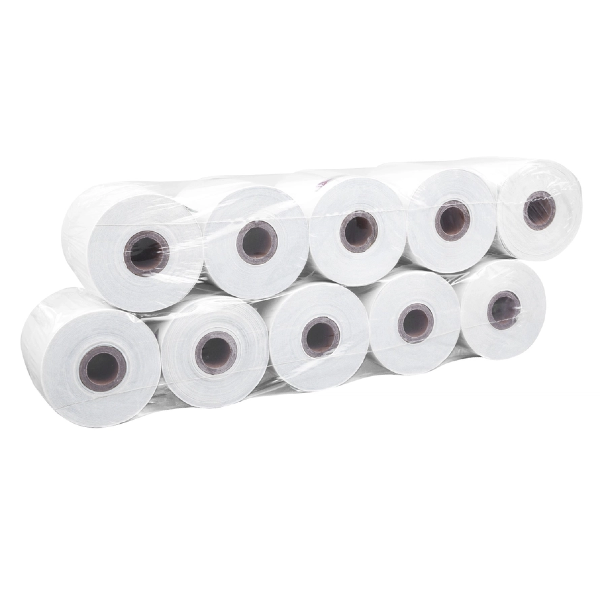
Sometimes the paper and printer are both fine, but the settings are not. In these cases, the printer may feed extra blank paper or produce output that looks incomplete because the software does not match the installed roll.
If the printer driver, browser, or POS system is set to the wrong page size, the printer may feed unnecessary blank space before or after the printed content. Users often describe this as blank receipt paper because the receipt includes empty sections instead of a compact print layout.
This is especially common when a printer is moved to a different terminal, when print templates are changed, or when staff print directly from a browser. A roll that is 57 mm wide should not be treated like an 80 mm roll, and even a small mismatch in settings can create confusing output.
A practical way to check this is to confirm the installed roll size, then compare it with the printer driver and POS layout. If the printer’s self-test prints normally but receipts from the application do not, the problem is likely in the software settings rather than in the paper itself.
A balanced troubleshooting guide should also recognize that not every blank receipt problem is caused by the paper. If the correct thermal roll is installed properly, the printhead is clean, and the settings are correct, the problem may be in the printer hardware. Worn printheads, pressure issues, cable faults, sensors, or firmware problems can all affect printing.
A self-test is useful here. If the printer still produces blank output during a self-test with verified thermal paper, the machine itself likely needs inspection or service. That keeps troubleshooting credible and helps businesses avoid blaming the wrong component.
Receipt paper is often treated as a simple consumable, but in thermal printing it directly affects performance. Better coating supports darker and clearer print. Clean edges reduce paper dust. Smooth winding improves feeding. Low-dust production helps protect the printhead and internal components.
These details matter in real business environments. A blank or faint receipt can delay transactions, create return disputes, and weaken the customer’s impression of the business. Good paper improves more than appearance. It helps support consistent printer behavior and reduces avoidable interruptions.
ShenZhen United Foison Technology CO, LTD. has focused on paper products production and export since 2008, with more than 15 years of manufacturing experience. For thermal receipt applications, details such as clean cut edges, low dust, smooth rolls, and stable coating can make a meaningful difference to print clarity and printer maintenance.
The coating on thermal paper determines how well it reacts to heat. A stable coating produces sharper text, clearer barcodes, and more even image development across the receipt. In contrast, weak or uneven coating may create patchy output that leads users to think the printer is failing.
For businesses, this is not just a technical detail. Clear receipts support better record keeping, smoother customer service, and a more professional presentation at the point of sale.
When changing paper suppliers or replacing current stock, businesses should pay attention to practical performance points. The roll must match the printer in width, core size, and diameter. Beyond compatibility, the paper should have smooth winding, clean edges, consistent coating, and stable image quality from batch to batch.
These features help reduce blank receipts, lighter printing, excess dust, and unnecessary maintenance. In busy POS, ATM, and cash register environments, reliable roll quality supports better efficiency and fewer daily disruptions.
Blank receipts usually come from a short list of fixable issues: wrong paper type, incorrect loading direction, printhead contamination, setting mismatches, or printer hardware trouble. Solving the immediate problem is important, but preventing it from happening again depends heavily on choosing reliable paper that supports stable daily printing. At ShenZhen United Foison Technology CO, LTD., we believe paper should be treated as part of printer performance rather than just a low-cost supply item. If your business needs dependable thermal receipt rolls for POS, ATM, or cash register applications, contact us to learn more about our paper solutions and discuss your specific requirements.
The most common reasons are that the new roll is not thermal paper or that it has been loaded in the wrong direction. A scratch test and a quick roll reversal usually help identify the issue.
Poor-quality receipt paper can increase dust, create uneven printing, and lead to more printhead contamination. While it may not always cause direct damage, it can increase maintenance needs and reduce printing stability.
This often happens when the printer driver, browser, or POS system is set to the wrong paper width or layout. Checking the roll size and matching the settings usually solves the problem.
Thermal paper with stable coating, smooth winding, clean-cut edges, and low dust is a better choice for reducing blank output, improving print clarity, and supporting more reliable printer operation.


